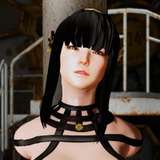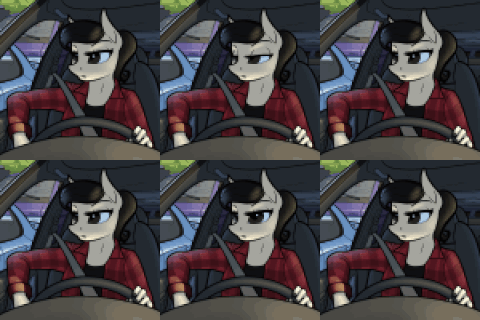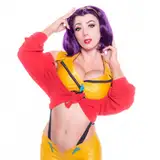
The AI gods have once again blessed us right before the holidays (classic move). Say hello to Qwen 2511 Image Edit, the third and most powerful iteration in the Qwen image-editing family!
Why no official YT Video? 📹 Because I already done this about the predecessor Qwen 2509 and its basically the same in terms of features.
🎁 THE HOLIDAY GIFT
Usually, my Installer is for supporters only. However, as a holiday treat, I am giving it away for FREE until Jan 3rd!
https://www.patreon.com/posts/update-21th-dec-146207704
(Missed the window? No worries—the manual installation guide is below!)
🔥 What makes it insane?
Edit images with plain English: “remove the guy on the left”, “make the sky dramatic”, “turn the cat into a lion” → it just WORKS.
Zero masking or inpainting required. Seriously.
Native ControlNet support built-in (no extra models!)
Works with most existing Qwen LoRAs (yes, your favorites probably work too!)
Takes up to 3 reference images and fuses them like magic.
🤔 First Impressions:
I’m still diving deep into the testing. It’s a fresh architecture, so while some results trade blows with the previous 2509 version, I suspect the real magic lies in discovering the specific prompting style this model prefers. Let's figure it out together!
I Actually Wrote a guide for Flux-Kontext a while back. Which is also an Image Edit Model. Most of the Uscases will still apply as well as the prompting. Paid users only. Sorry.
📋 QUICK Manual INSTALL GUIDE – Qwen 2511 Image Edit what you need to run my workflows
You need a running ComfyUI
install guide: https://youtu.be/q4jhieMwNkU
📦 Required Git Repositories
ComfyUI (Main): Link
ComfyUI-Manager: Link
ComfyUI-GGUF: Link
rgthree-comfy: Link
ComfyUI-KJNodes: Link
cg-use-everywhere: Link
comfyui_controlnet_aux: Link
🎨 Models Checklist
🖼 Diffusion Models
📥 Qwen-Image-Edit-2511-GGUF download one based on your VRAM
VRAM Options:
📝 Text Encoders
📥 qwen_2.5_vl_7b_fp8_scaled
🔧 LoRAs
📥 Qwen-Image-Edit-2511-Lightning-4steps-V1.0-fp32
🎭 VAEs
📥 qwen_image_vae