Hello guys! 🌈
These past few days I kept playing around with my new printer and learned more printing stuff, experimented a bit with the shrink film -I'll share with you that on another post!- and painted a little bit for my next couple of collab posts with Kuretake.
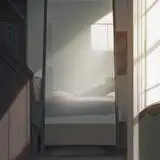
Today though, I decided to do a little digital background study because I want to become better at drawing perspective and I keep pushing it for later.


Here's the photo I used as inspiration, if you're curious.

My drawing is suuuuper simple I know, but I really struggle with bgs so I'm glad I did *something* gotta celebrate the small steps!
Anyways, I wanted to point down some basic stuff that really helped me to use properly Procreate's perspective tool. Maybe some of you already knew this, but for those who didn't hope it helps!
✦ To activate the perspective grids, go to the Actions menu and activate the Drawing Guide toggle

✦ To control the perspective grids, in the same Actions menu click on Edit drawing guide, here you'll be able to add one, two or three points of perspective by simply tapping on the screen. You can see a new grid will automatically appear, feel free to experiment a bit here and play around! One tip, try to keep your perspective points far away from each other, normally artists recommend to have one point inside your canvas and the other out of it.

Now you can draw lines freely and everything will be in perfect perspective :D
✦ One important thing, each separated layer has the option to activate or deactivate the drawing assist tool, so basically your lines in that layer will be controlled by the drawing guides or they won't. I usually turn it on and off depending on my needs, for drawing the basic structures it's always helpful but when you move into detailing, not so much.

You can also have two different layers, one assisted for perspective lines and another one that's not assisted for the stuff that's more organic, like circles, plants, details, anything really!
Above you'll find the time-lapse process of my illustration, at the beginning you'll see me do some simple exercises with cubes and rectangles that really help to understand how the tool works, I recommend it before moving into your final piece!
Anyways, I really love Procreate's perspective tool, it's something that Photoshop lacks completely, which is a bummer. Personally, this tool helped me to lose a little bit of fear of technical drawing and perfectly clean lines and mostly, understand a bit more how the three points of perspective work.
Hope it's helpful for you too if you're interested in drawing backgrounds! :)
Talk to you real soon!
((Thanks for being here)) love 💖
Gret